Help center
How to create, upload and configure a collection on NFS, with screenshots. Short answers live in the FAQ.
01
What is NFS
NFS (Non Fungible Stocks) is a no-code NFT launchpad and marketplace on Robinhood Chain. You upload your art, set the mint rules and deploy your own contract in one transaction. The collection gets a mint page and is listed on the marketplace automatically.
- Any currency: collectors pay in ETH, USDG or Stock Tokens.
- Vault-backed NFTs: lock a fixed amount behind every NFT. Holders can burn it anytime to get that amount back.
- Your contract, your funds: each collection is an ERC-721 owned by your wallet.
02
Before you start
- 1
A wallet
MetaMask, Rabby, Coinbase Wallet or Rainbow. On mobile, open nfs.family from the wallet's browser.
- 2
Robinhood Chain added
Press Connect. If the wallet does not know the network yet, accept the prompt to add it.
- 3
A little ETH for gas
Bridge ETH to Robinhood Chain. A launch costs a fraction of a cent in gas.
- 4
Your art ready
One image per NFT (PNG, JPG, GIF, WEBP or SVG, up to 25 MB each), or a folder of layers for the Generator.
Network details: chain ID 4663 · RPC https://rpc.mainnet.chain.robinhood.com · explorer https://robinhoodchain.blockscout.com
03
Create a collection
Go to Launch. Five steps, nothing is deployed until the last one. Launching is free apart from gas.
Step 1 · Details
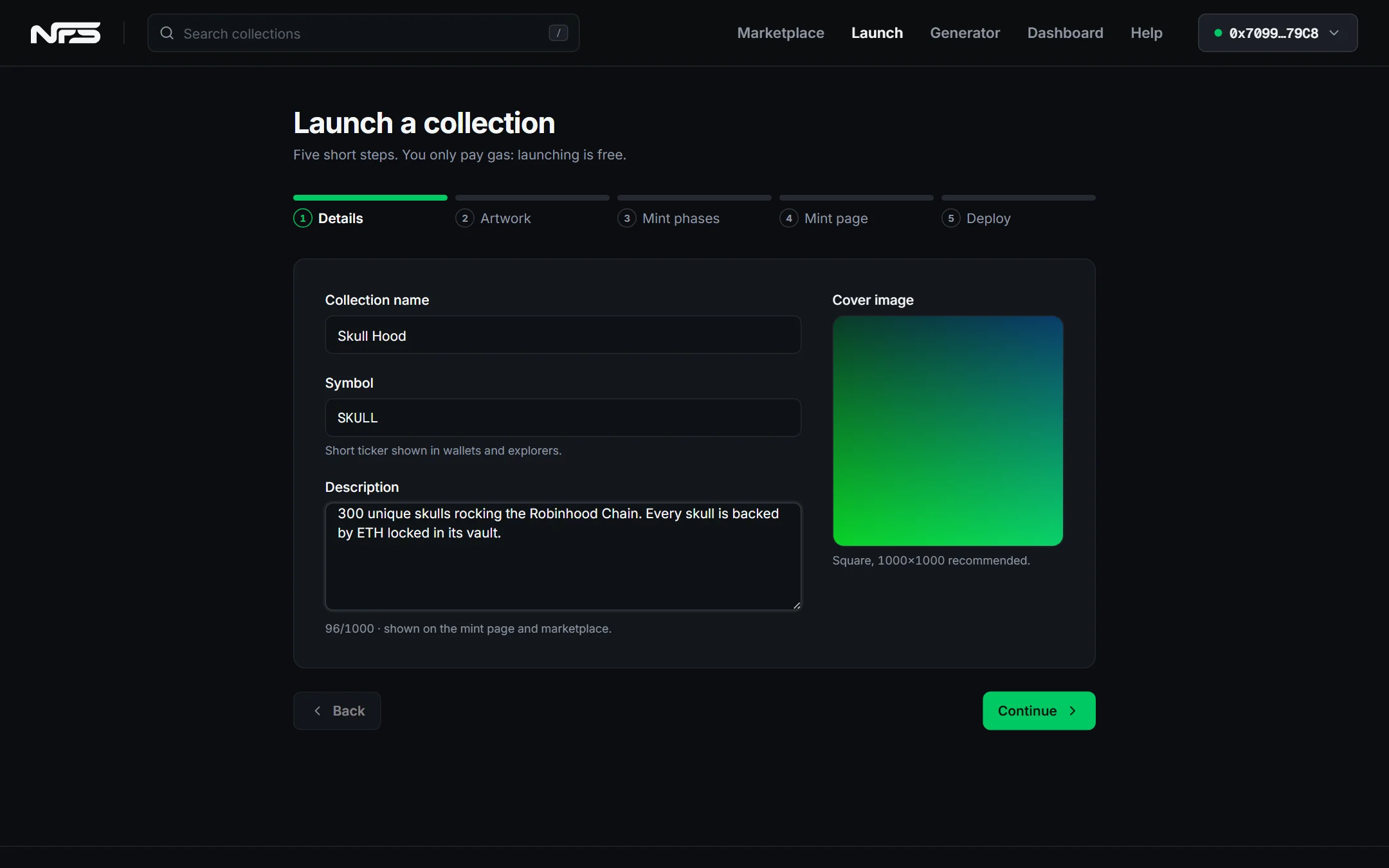
- Name and symbol go into the contract and cannot be changed later.
- Cover: square image, 1000×1000 recommended. It is the collection avatar everywhere.
Step 2 · Artwork
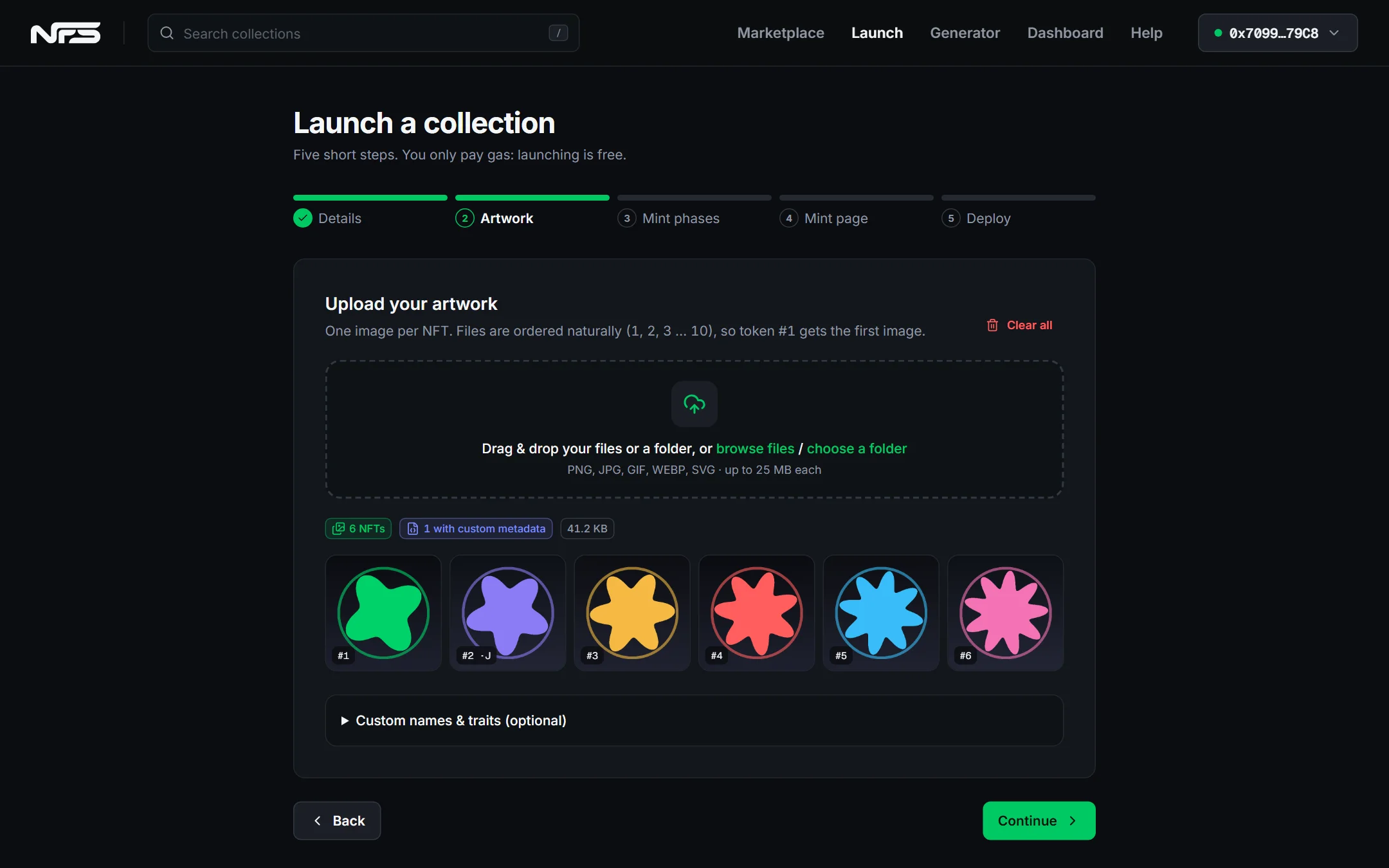
- Drop files or a folder. Files are ordered naturally:
1.pngbecomes token #1,2.pngtoken #2, and so on. - The number of images is the max supply.
- Optional: a
7.jsonnext to7.pngsets a custom name, description and traits for that NFT. The Generator creates these for you.
Step 3 · Mint phases
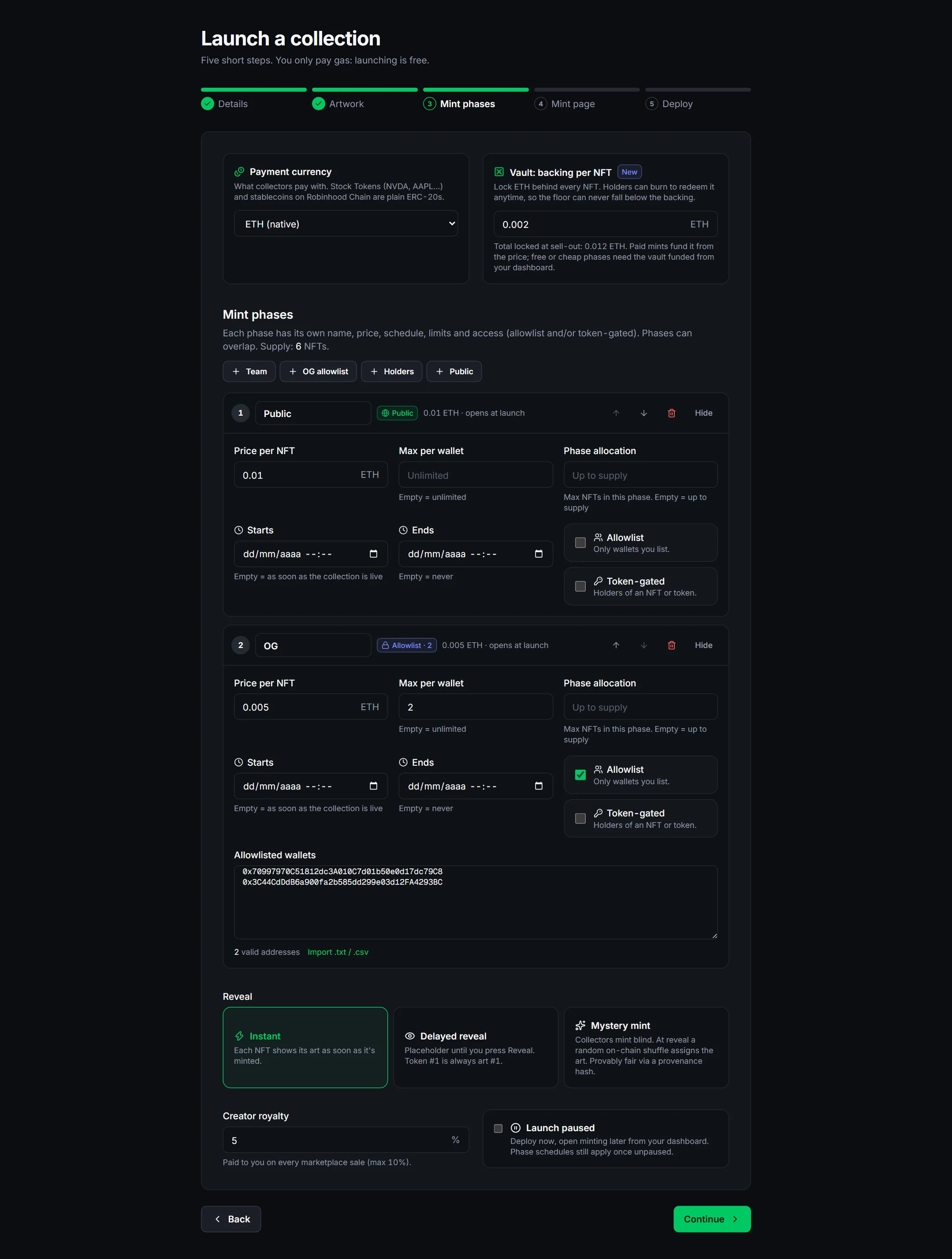
- Payment currency: ETH, a preset like USDG, or any ERC-20 by address (see Associate a token).
- Vault: amount locked behind each NFT, in the mint currency or in another token (for example mint in ETH, back with a Stock Token). When the currencies differ, fund the pool from the dashboard before the mint opens. Leave empty for a classic collection.
- Phases: use the presets (Team, OG allowlist, Holders, Public). Each has price, dates, per-wallet limit, allocation, and optional allowlist or token gate. Paste allowlisted wallets one per line.
- Reveal: Instant, Delayed (placeholder until you press Reveal) or Mystery (random on-chain assignment at reveal).
- Royalty: 0 to 10% on every marketplace sale.
Tip: tick Launch paused if you want to deploy now and open minting later from the dashboard.
Step 4 · Mint page
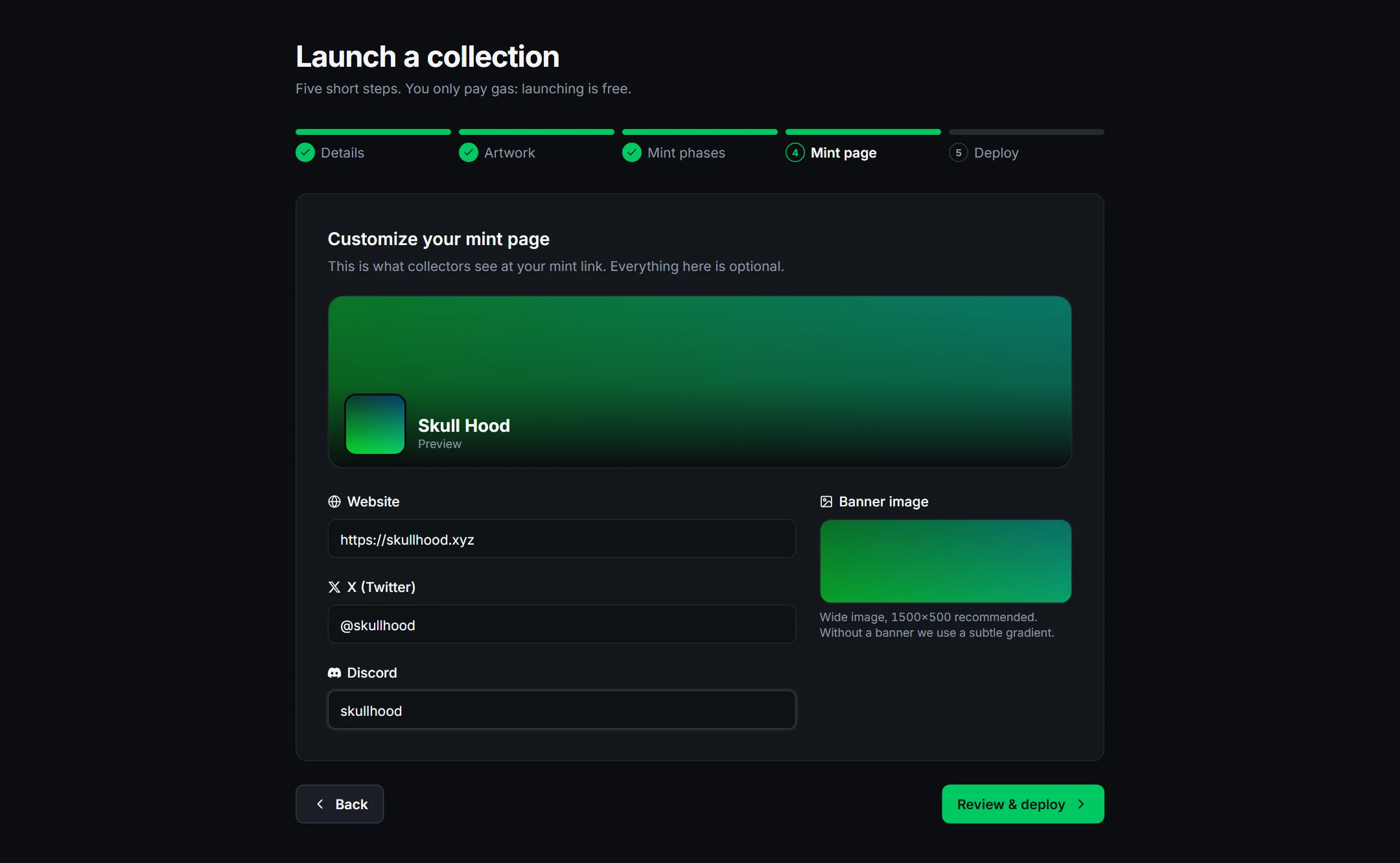
Banner (1500×500 recommended), website, X and Discord. All optional. You can change them later from the dashboard (Mint page panel); name, symbol and supply cannot change.
Step 5 · Review and deploy
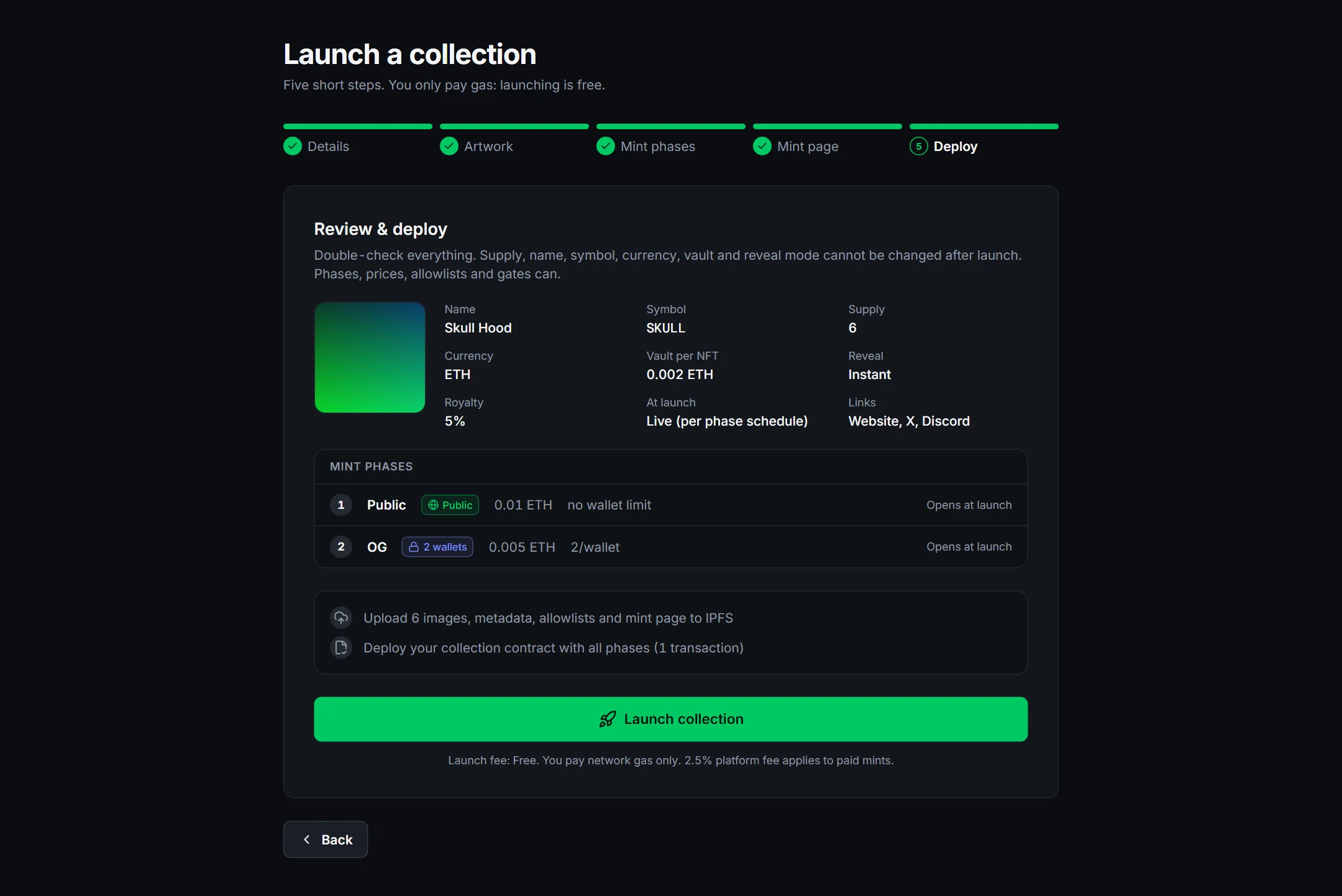
- 1
Check the summary
Supply, currency, vault and reveal mode cannot change after launch. Phases, prices, allowlists and gates can.
- 2
Sign the upload
Your wallet asks for a signature (no gas). The browser then pins images, metadata and allowlists to IPFS. Keep the tab open.
- 3
Confirm the transaction
One transaction deploys the contract with every phase. When it confirms you get the mint link.
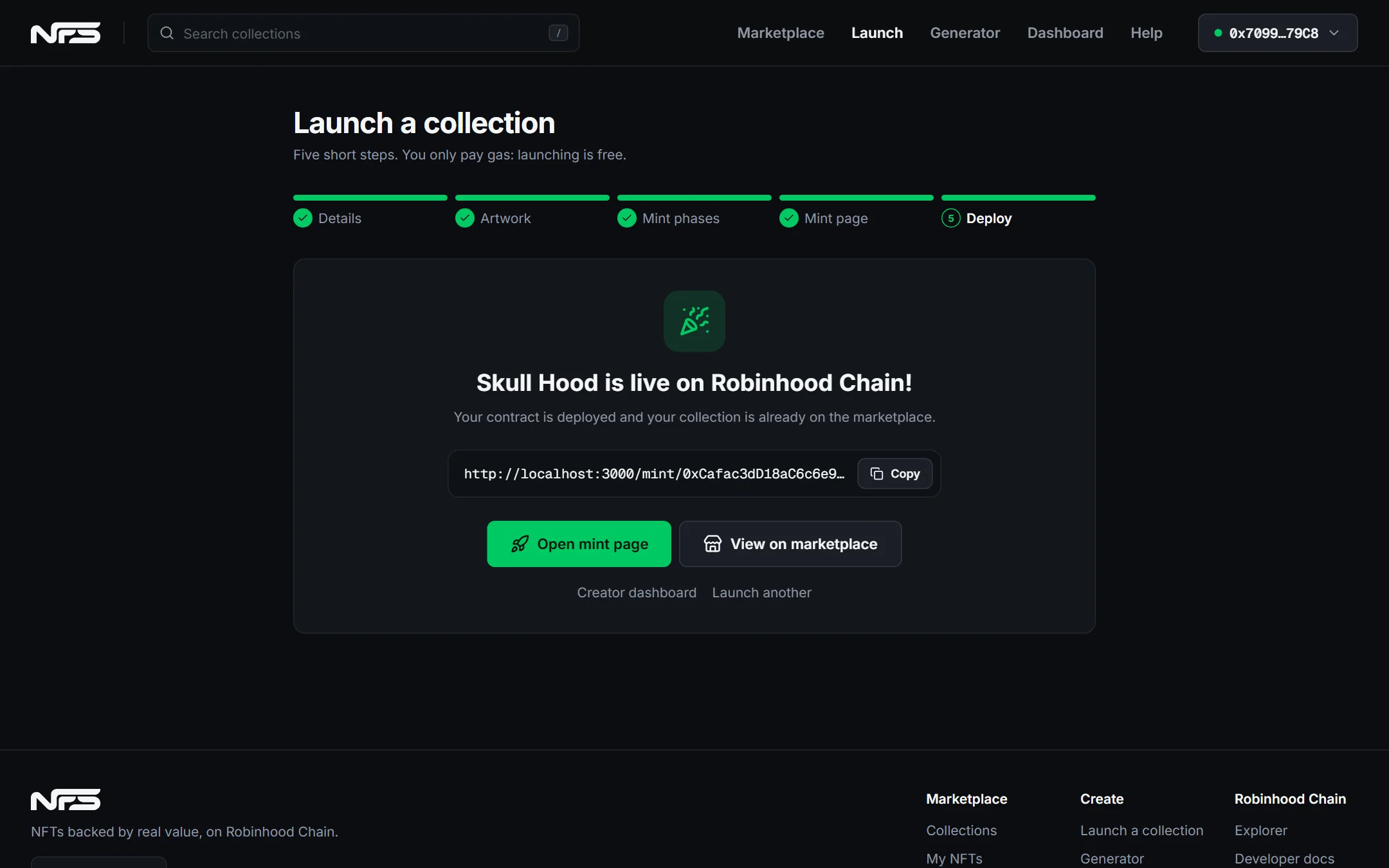
04
Generate art from layers
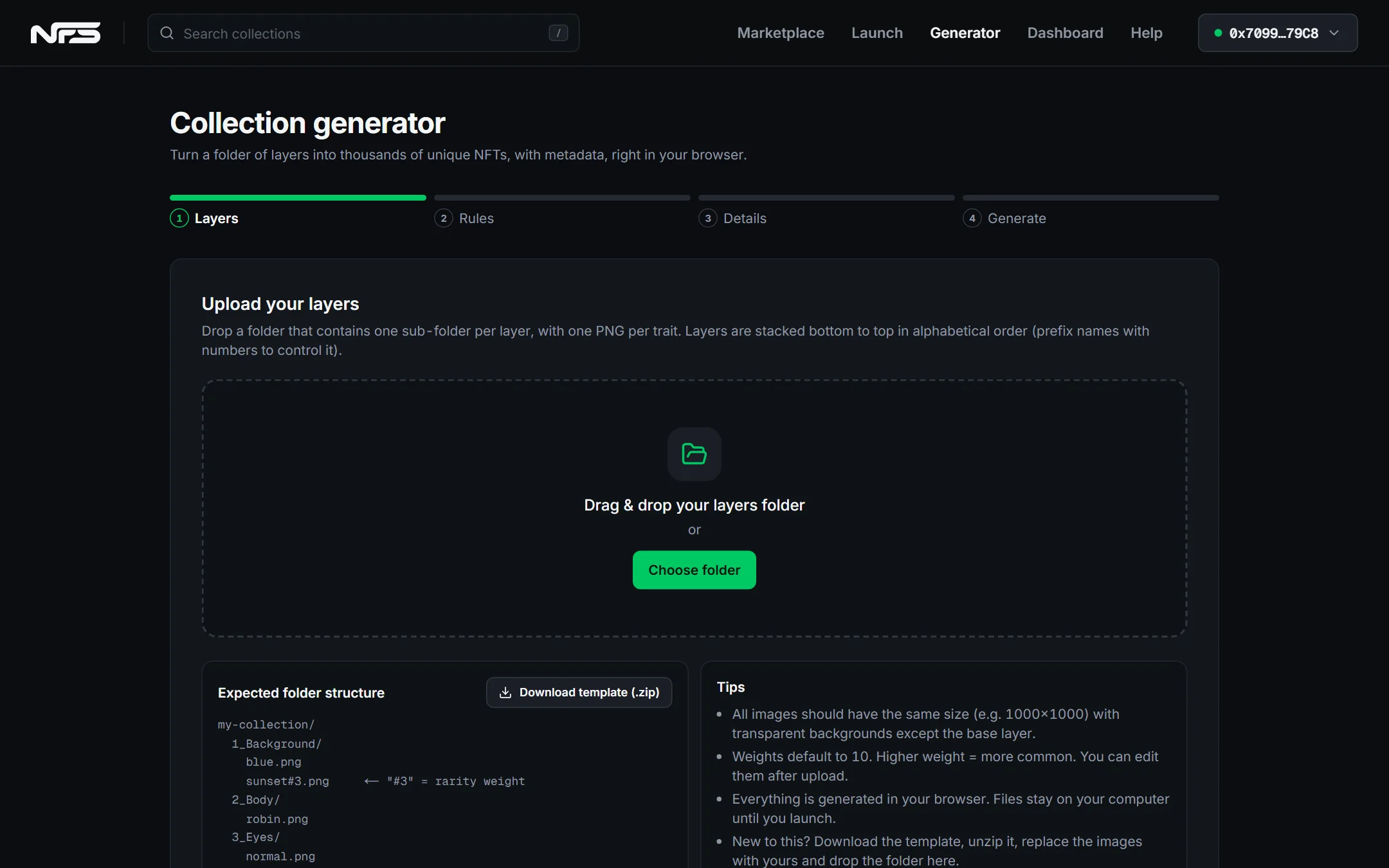
- 1
Prepare the folder
One sub-folder per layer (1_Background, 2_Body, 3_Eyes…), one PNG per trait, all the same size. Add #3 to a file name to make it rarer. Download the template ZIP to start.
- 2
Layers and rules
Reorder layers, adjust weights, and optionally forbid or force combinations.
- 3
Details and generate
Name, symbol, how many NFTs, output format. Preview, regenerate if needed.
- 4
Use in Launch
One click sends the images and their JSON traits to the launch wizard with the details pre-filled.
Animated layers: drop animated GIFs as traits and the generator exports every NFT as an animated GIF (the format switches to GIF automatically). WebP and PNG keep only the first frame.
05
Import an existing collection
Already minted a collection on Robinhood Chain with another launchpad or your own contract? Go to Import to list it on NFS. Holders can then buy, sell and sweep it here, with traits, rarity and price stats.
- 1
Connect the owner wallet
Only the wallet returned by the contract's owner() can import it. Contracts without an owner() cannot be imported.
- 2
Paste the contract address
NFS checks that it is an ERC-721, reads name, symbol, supply, royalty and a sample item, and confirms you are the owner.
- 3
Describe the page
Description, website, X, Discord, cover (the first item's image by default) and banner. Everything can be edited later from the dashboard.
- 4
Import
One signature pins the page metadata and one transaction registers the collection. It appears on the marketplace immediately, marked Imported.
NFS can also add collections on its own after reviewing them; those show a Curated by NFS badge. If you own one of them, open its page and press Verify ownership: the badge becomes Verified owner and you can edit its page from the dashboard.
Imported collections keep the royalties their contract declares (ERC-2981). Mint phases, vault backing and holder payouts are only available for collections launched on NFS, because they live in the NFS contract.
06
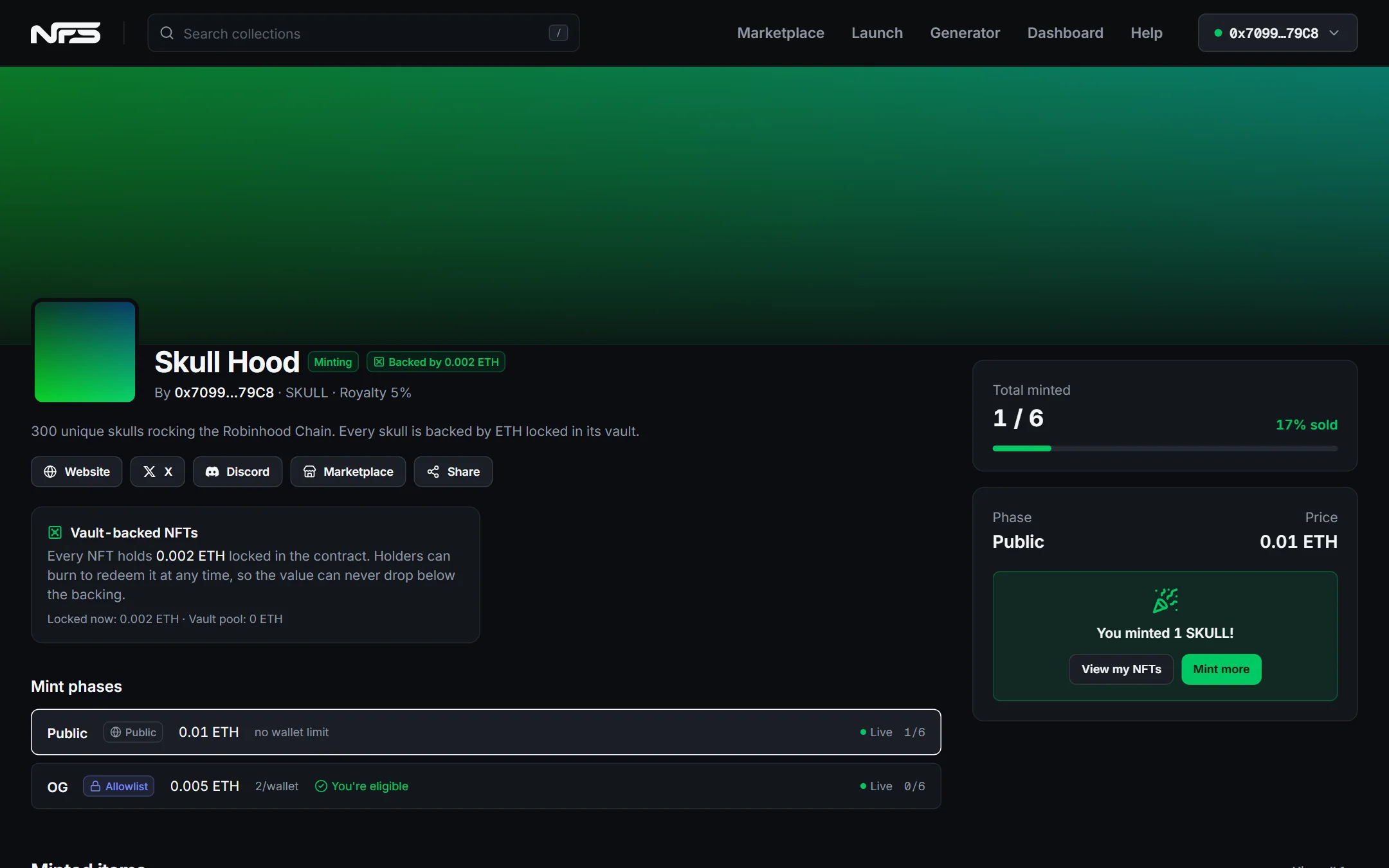
Your mint page
Every collection gets a public page at nfs.family/mint/<contract address>. Share that link. Collections that are minting or scheduled are also listed on the Mints page, with upcoming launches sorted by start time.
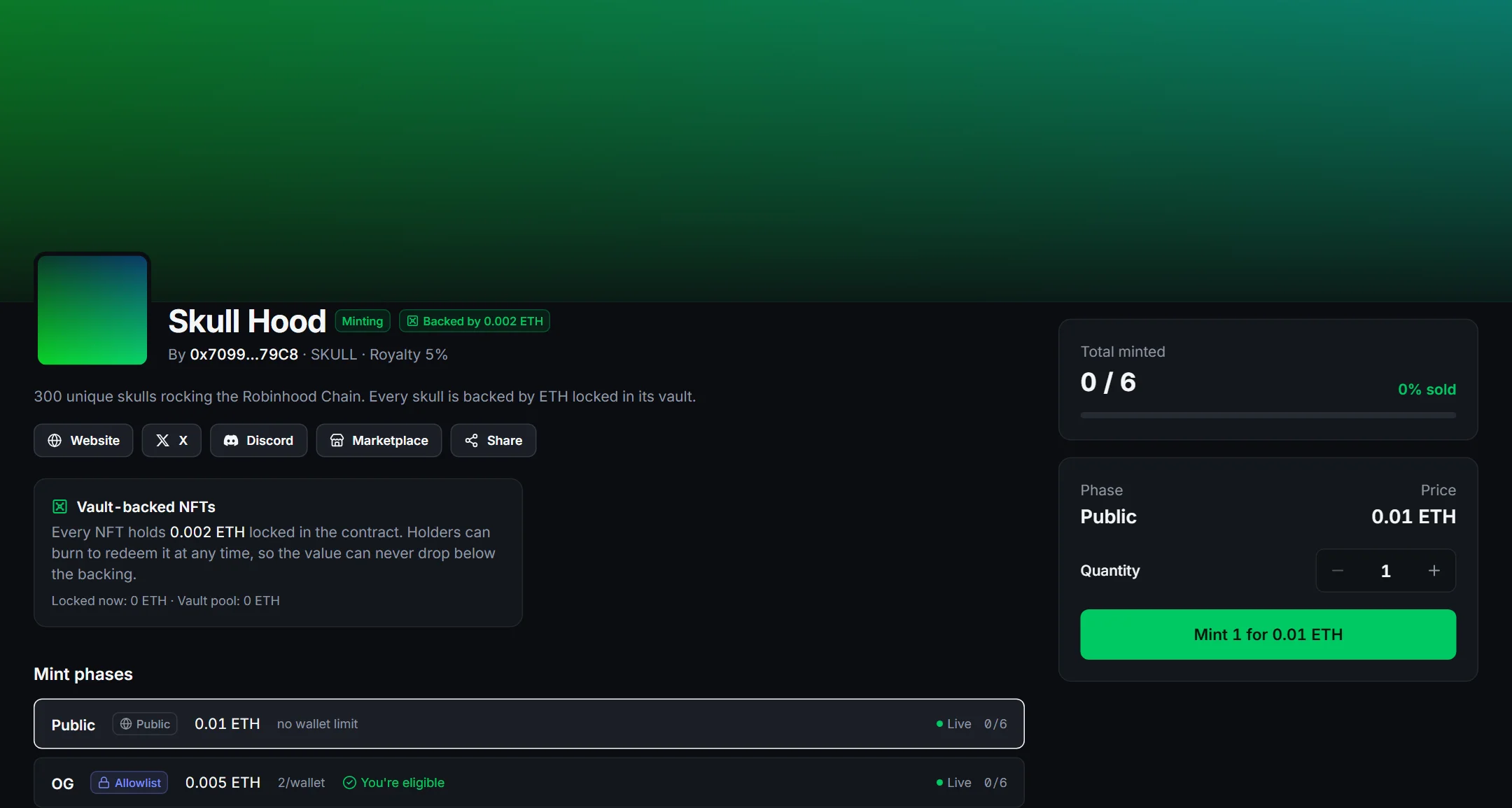
- Collectors see every phase with its status (upcoming, live, ended) and whether they are eligible.
- The mint panel picks the best live phase. Token-priced collections show an Approve step before Mint.
- The latest minted items appear at the bottom, with links to the marketplace.
07
Associate a token
Any ERC-20 or NFT contract on Robinhood Chain can be used in three ways. All of them are set in step 3.
| Use | Where | What happens |
|---|---|---|
| Payment currency | Payment currency → Custom ERC-20 → paste the address | Prices are in that token. Collectors approve once, then mint. Proceeds accumulate in your contract. |
| Vault backing | Vault: backing per NFT | That amount of the currency is locked behind each NFT. Holders burn to redeem it. Creators can only withdraw what is above the backing. |
| Token gate | Phase → Token-gated → contract + minimum balance | Only wallets holding at least that many NFTs or tokens can mint in the phase. Combine with an allowlist if you want. |
NFS reads the contract when you paste it and shows name, symbol, decimals and holders. If it says the address is not found, the token is on another network.
08
Manage your collection
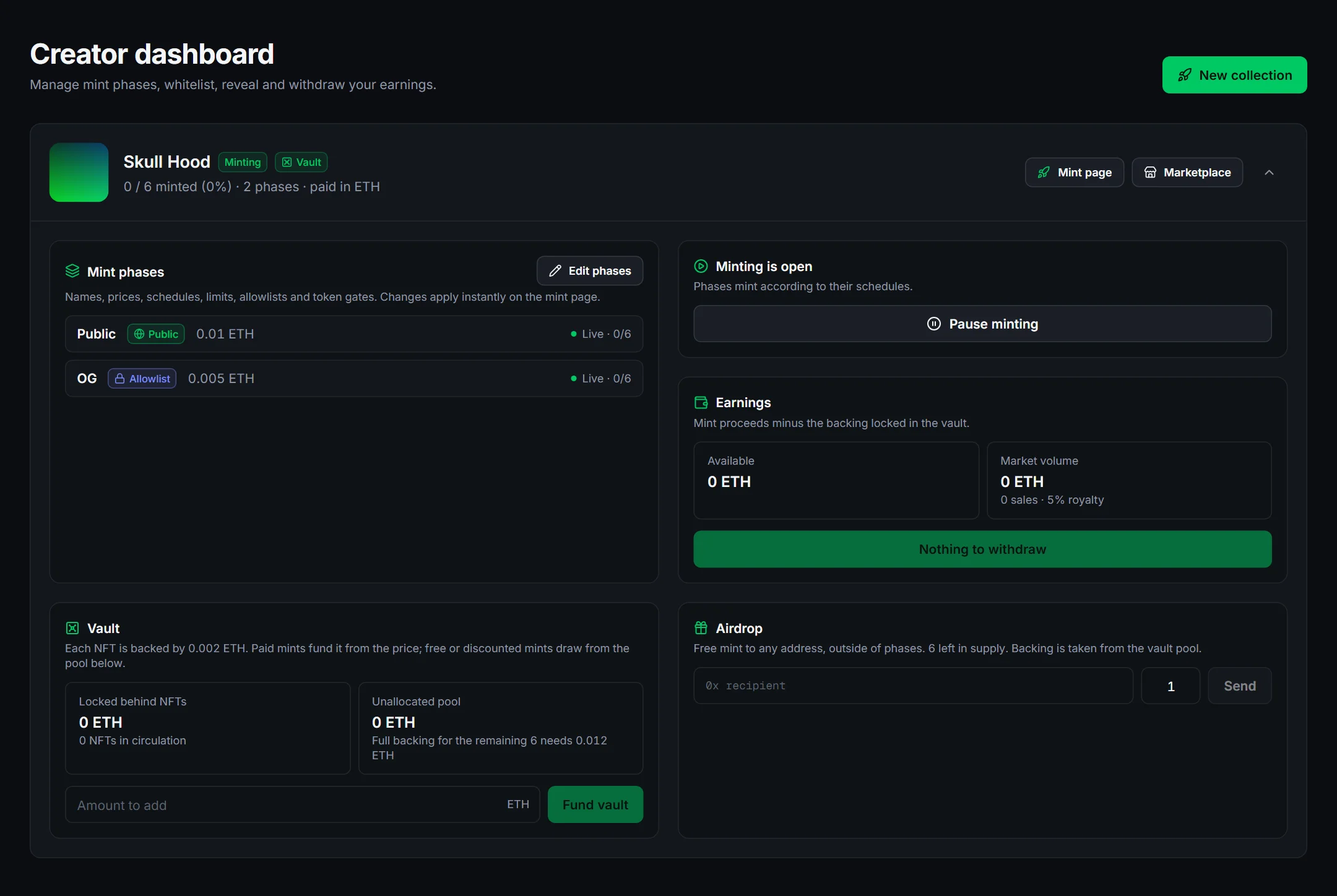
- Edit phases: change prices, dates, limits, allowlists and gates. Applies instantly on the mint page.
- Pause / resume minting at any time.
- Earnings: withdraw mint proceeds to your wallet.
- Vault: fund the pool for free or discounted phases, or withdraw the unallocated part.
- Airdrop: mint directly to any address, outside of phases.
- Reveal (delayed and mystery collections): reveal the art. Cannot be undone.
- Holder payouts: split any amount of the collection currency equally across every NFT in circulation (royalty revenue, sponsorships, dividends you receive). Holders claim per NFT from the item page, or all at once from My NFTs. Robinhood Stock Token dividends already accrue inside the vault through the token's on-chain multiplier, so the USD value of the backing grows on its own.
- Mint page: edit the description, website, X, Discord, cover and banner after launch. Saving pins new metadata and updates the contract in one transaction.
09
Sell and buy
- 1
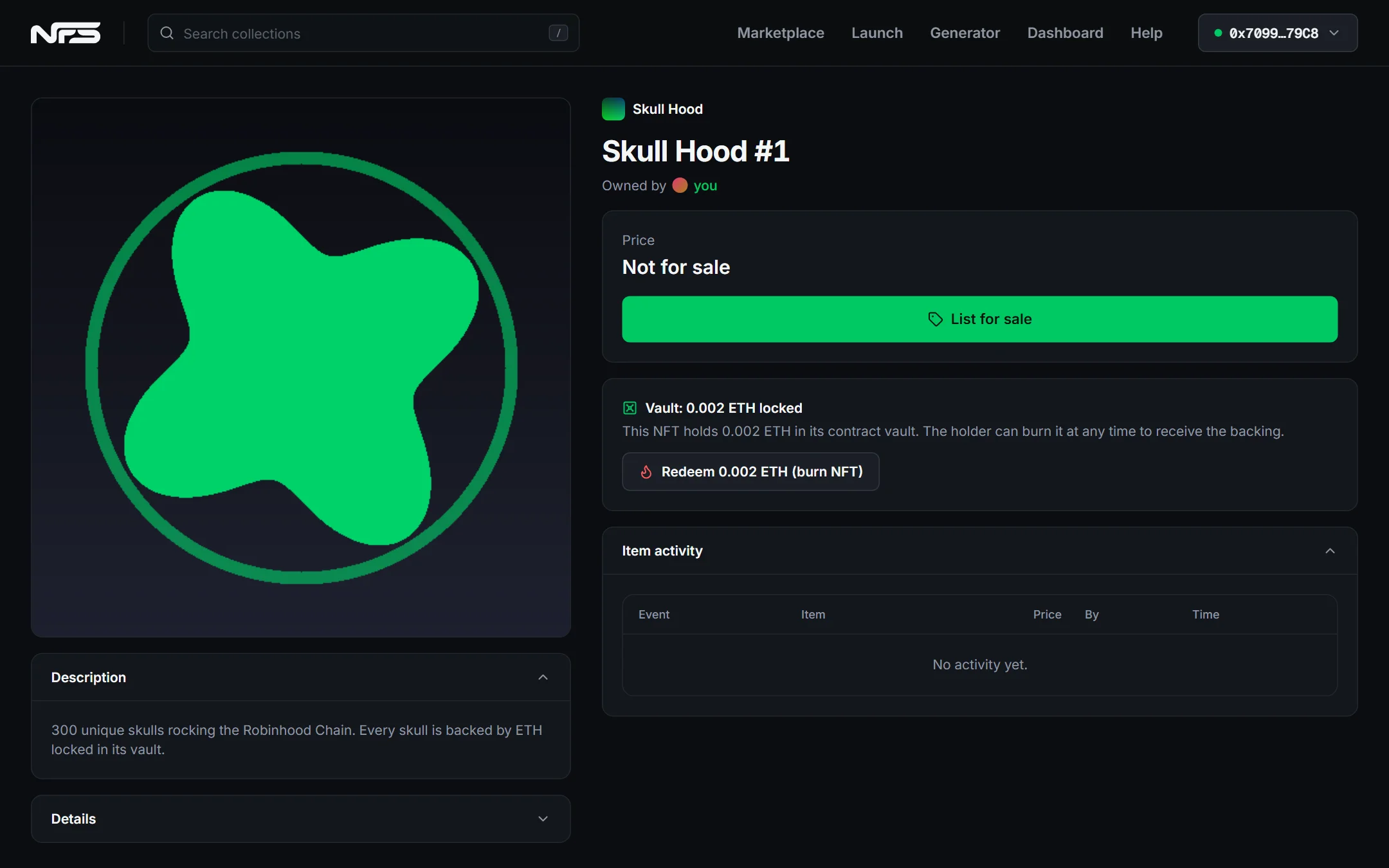
Open your NFT
From the collection page or My NFTs. Owners see List for sale; backed NFTs also show Redeem.
- 2
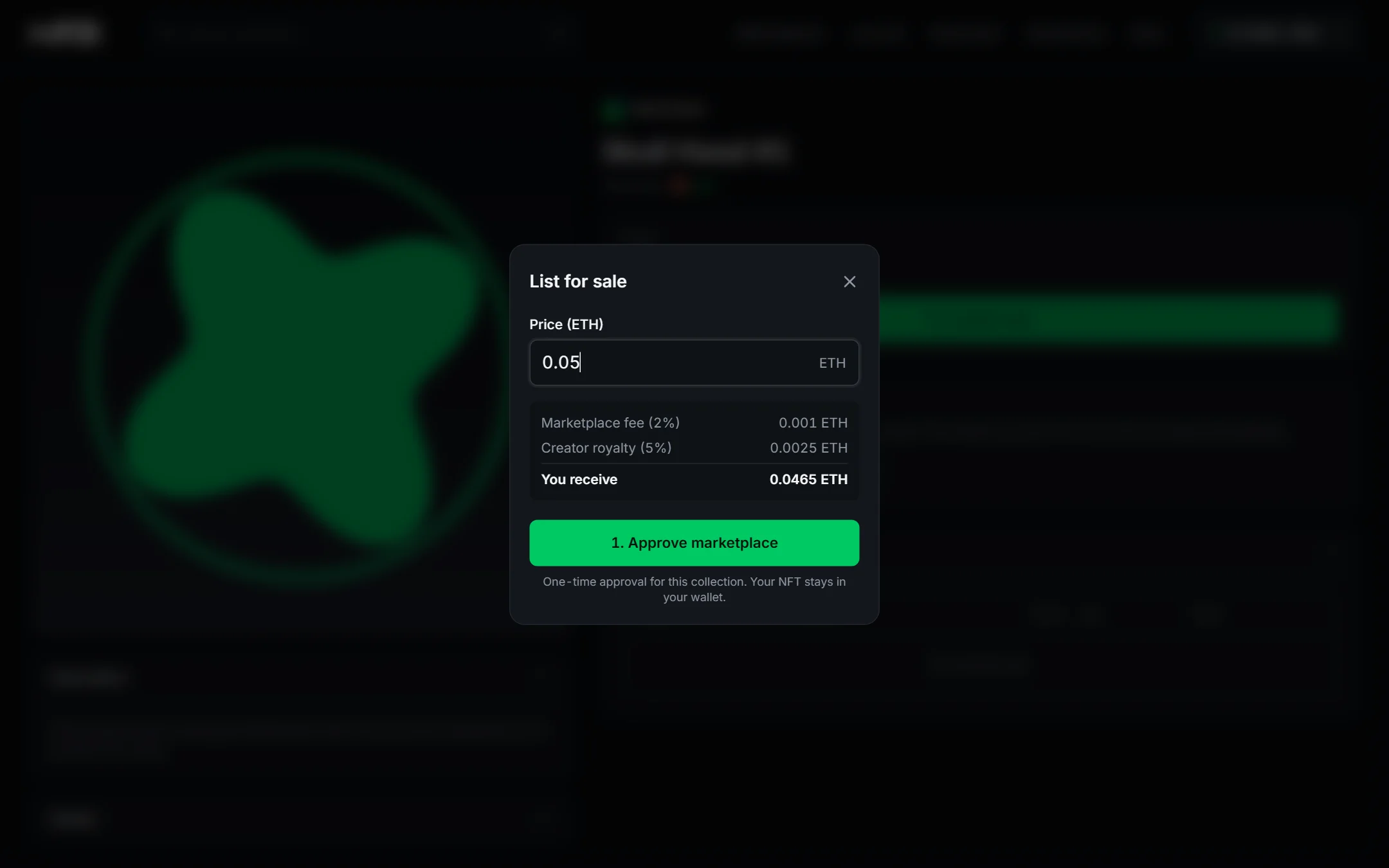
Approve once, then set a price
The first listing per collection needs a one-time approval. Your NFT stays in your wallet. The summary shows the fee, the royalty and what you receive.
- 3
Buyers press Buy now
One transaction pays you, the creator royalty and the fee, and transfers the NFT. Change the price or cancel anytime.
Finding and buying smarter
- Traits: the sidebar on a collection page lists every trait with counts. Combine values to filter, or sort by Rarity. Cards show the rarity rank and item pages show how many NFTs share each trait.
- Sweep: under Buy now, choose how many of the cheapest listings you want and buy them in one transaction (up to 20). If any becomes unavailable meanwhile, nothing is charged.
- Below backing: a badge marks items listed for less than the value locked in their vault: buying and redeeming pays more than the price.
- Stats: the marketplace table switches between 24h, 7d, 30d and all-time volume and sales, and each collection has a sale-price chart under Activity. Vault values are shown in USD using Chainlink price feeds on Robinhood Chain. Backed collections also get an NFT value vs backing chart: sales and the current floor against the USD value of the tokens locked in each NFT over the last 90 days, with the premium or discount.
10
Your profile, XP and badges
Every wallet has a public profile at /u/<name> with its NFTs, created collections, activity and XP. Open Profile settings from the account menu to customise it.
- 1
Pick a username and avatar
Username (3-20 characters), display name, bio, avatar and banner. Images are resized in your browser. Saving asks your wallet for a signature: no gas, no transaction.
- 2
Earn XP
Minting (10 per NFT), buying (50+), selling (40+), listing (5), launching a collection (200), importing or verifying one (100) and paying dividends to holders (50) earn XP automatically from on-chain activity. Trades get a size bonus of 20 XP per ETH.
- 3
Level up
Ten levels, each with its own badge: Rookie, Trader, Collector, Investor, Broker, Market Maker, Tycoon, Whale, Mogul and Legend. Your badge appears next to your name across the site and on the Leaderboard.
- 4
Get verified
Link your X account from Profile settings to show the blue verified badge (plus 25 XP). One X account can vouch for one wallet.
XP is computed from chain events a few minutes after they happen and cannot be bought or transferred.
11
Fees and limits
| Launch | Free (gas only) |
| Paid mints | 2.5% platform fee, free mints have none |
| Marketplace sales | 2% + creator royalty (0 to 10%) |
| Images | Up to 10,000 per collection, 25 MB each |
| Phases | Up to 10 · allowlists up to 50,000 wallets |
| Mint quantity | Up to 20 per transaction, within phase limits |
12
Troubleshooting
- Switch your wallet to Robinhood Chain
- Your wallet is on another network. Select Robinhood Chain in the wallet or use the network button in NFS.
- No contract at this address on this network
- The token or collection lives on a different network. Use an address deployed on the network shown in the header.
- Not eligible / not on this allowlist
- The phase is restricted. Wait for a public phase, ask the creator to add you, or hold the gated token.
- Not enough ETH or tokens
- Top up the mint currency and keep a little ETH for gas.
- Waiting for the creator to fund the vault
- A free or discounted phase of a backed collection needs pool funds first. Creators fund it from the dashboard.
- Upload stopped
- Keep the tab open, check your connection, keep each image under 25 MB, then retry the Launch step.
Still stuck? Reach us on X @LaunchNFS.